Screen Split
Screen, webcam and logo, one window.
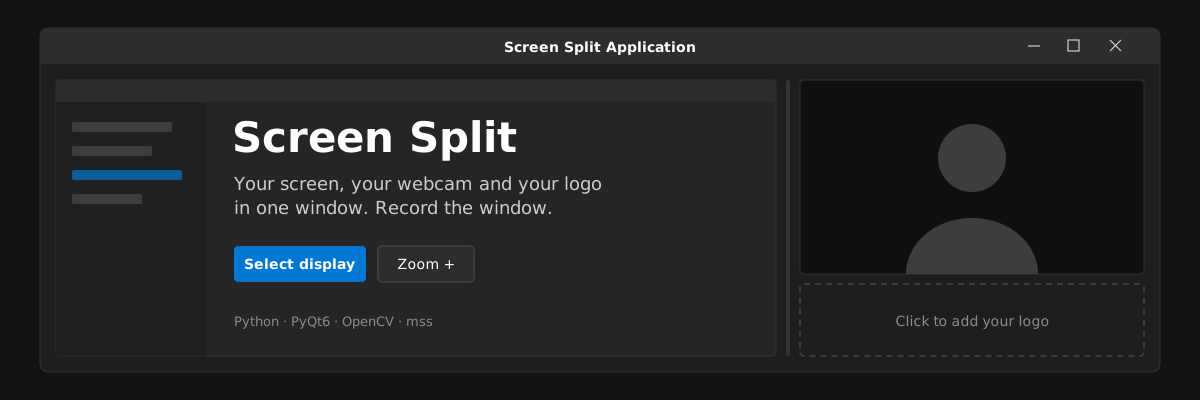
A Windows app that shows a live view of your screen and your webcam side by side in one window, with a slot for your brand logo under the camera. Record that one window and you've got a reaction or tutorial layout without setting up OBS.
What it does
Apr 2025- 01Any displayPick which monitor to show. A portrait monitor scrolls inside its panel.
- 02Webcam with zoomZoom in and out of the camera, cropped from the centre to fill its box.
- 03Brand logoClick the empty slot under the camera to add a logo, and change or remove it from the menu.
- 04Resizable splitDrag the divider between screen and camera; the camera stays 16:9.
- 05Its own window frameNo Windows title bar. Drag any edge to resize, or maximise to fill the display.
Signature
One window, one recording
Everything you'd normally arrange in OBS sits in one frameless window: the screen on the left, the camera and the logo stacked on the right. Point any recorder at that window and the layout's done.
How it works
- Two frame threadsOne thread grabs the chosen monitor with mss at 30 fps; another reads the webcam with OpenCV through DirectShow. Both hand frames to the UI thread through Qt signals.
- One moduleThe whole app is a single 2,800-line PyQt6 file, with pywin32 for the Windows glue.
- Shipping itPyInstaller builds a single .exe, and it's on PyPI as screen-split-app.
Design
System fontsAa
#1E1E1E#0078D4#5C5C5C#F3F3F3
- Dark panels in #1E1E1E with #2D2D2D controls, like a Windows dev tool.
- One Windows blue for anything you press, lighter on hover, darker when pressed.
- The app draws its own frame, so the window is only the content you're recording.