



Why the Wi-Fi is slow.
orbit logs a Starlink dish, its router and the Wi-Fi around the clock, then tests the house room by room. It tells you whether a drop was Starlink or the Wi-Fi, and which room is the slow one.
What it does
Nov 2026- 01A log that never stopsA speed test every 15 minutes from the Mac: download, upload, ping, lag under load and the Wi-Fi signal at the desk. The router gets pinged every second in between.
- 02Starlink or the Wi-Fi?Every drop is marked on the day. Violet when the dish lost the satellites, orange when the Mac lost the router and Starlink was fine.
- 03Room by roomWalk to a room and tap Test room. It takes about 20 seconds, compares the room with the desk at the same moment, and says whether it hangs off the router or the repeater.
- 04Live from the dishWhat the house is using this second, the ping to space and how many pings got lost, for the last 15 minutes. Hold a chart and slide to read any moment.
- 05The dish's skyThe dish's map of its own patch of sky as a 3D dome: clear in violet, blocked in orange. Under it, which way the dish faces and whether that's where it should.
- 06One change at a timeTune lists the fixes worth trying, best first. Each one runs for a day or two and is judged against the baseline, so you know what actually helped.
Screens
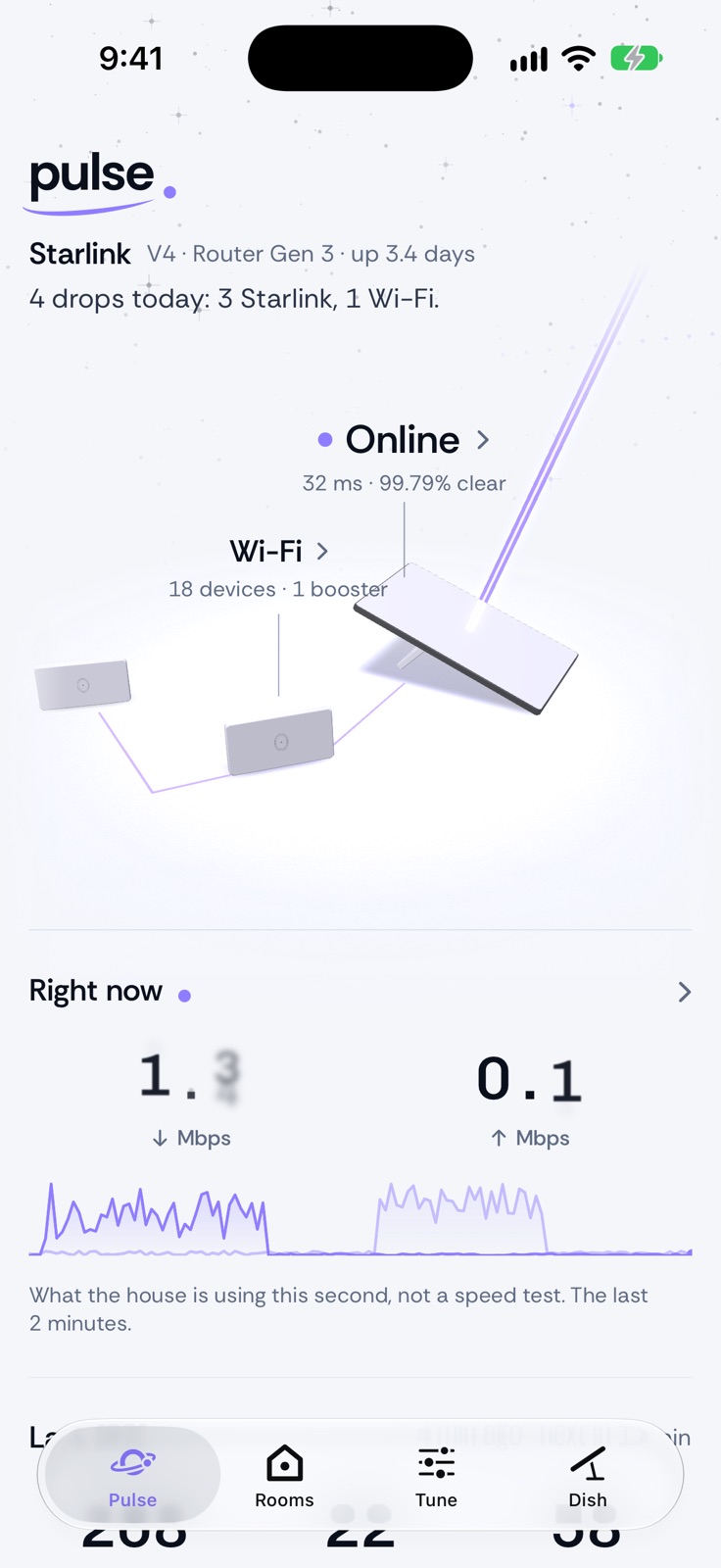 Pulse: the dish, router and booster, and what the house is using right now
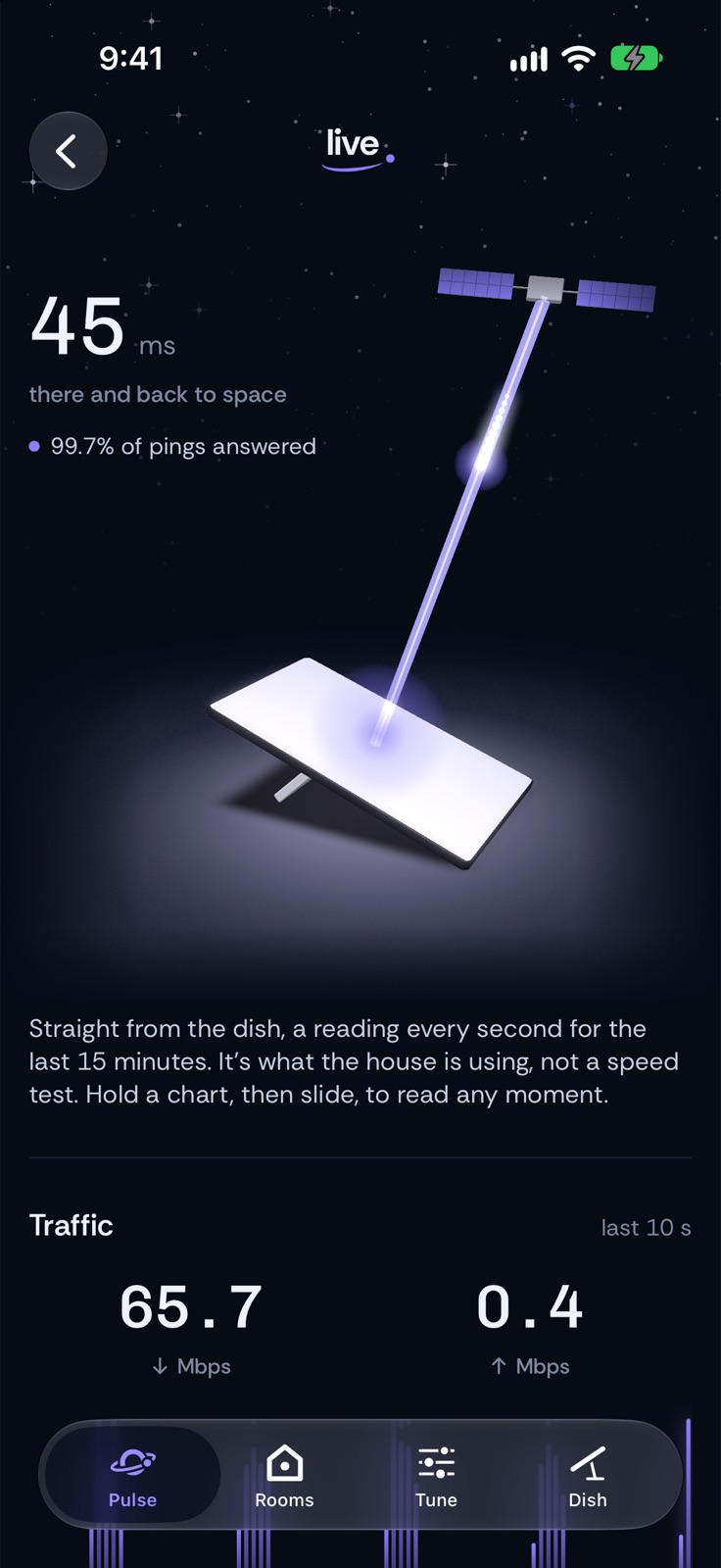 Live: the ping to space, straight from the dish, in dark mode
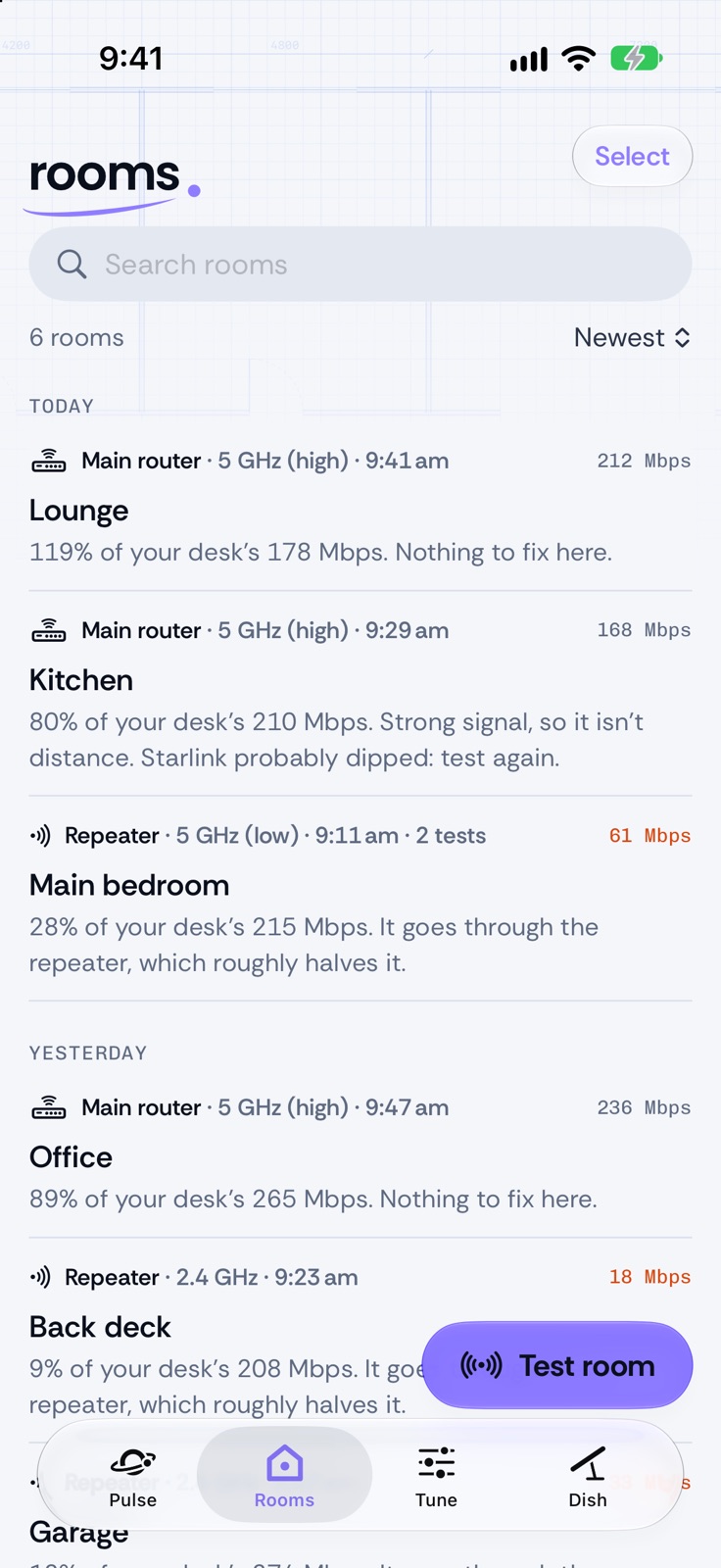 Rooms: each room against the desk, and which node it's on
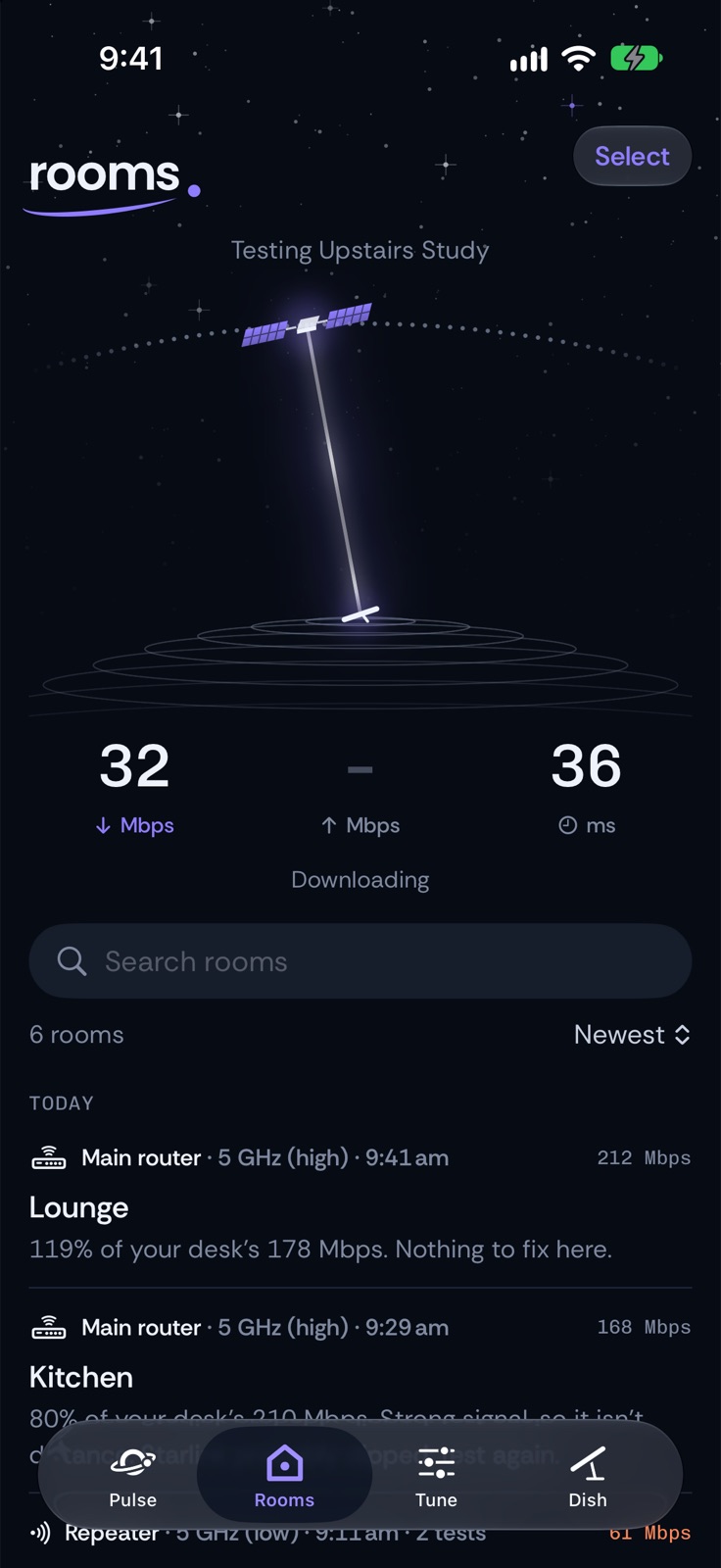 A room test running, in dark mode
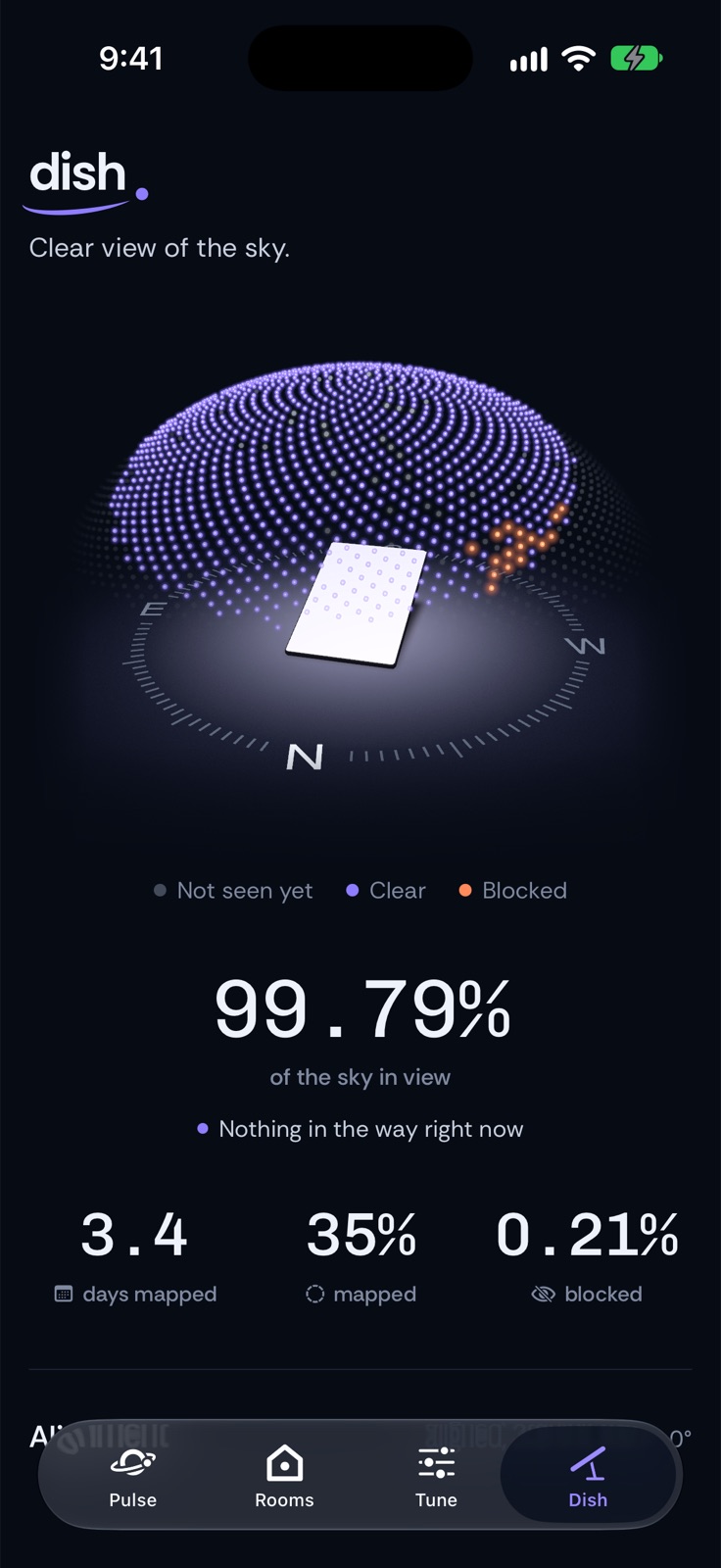 Dish: the sky the dish can see, clear and blocked
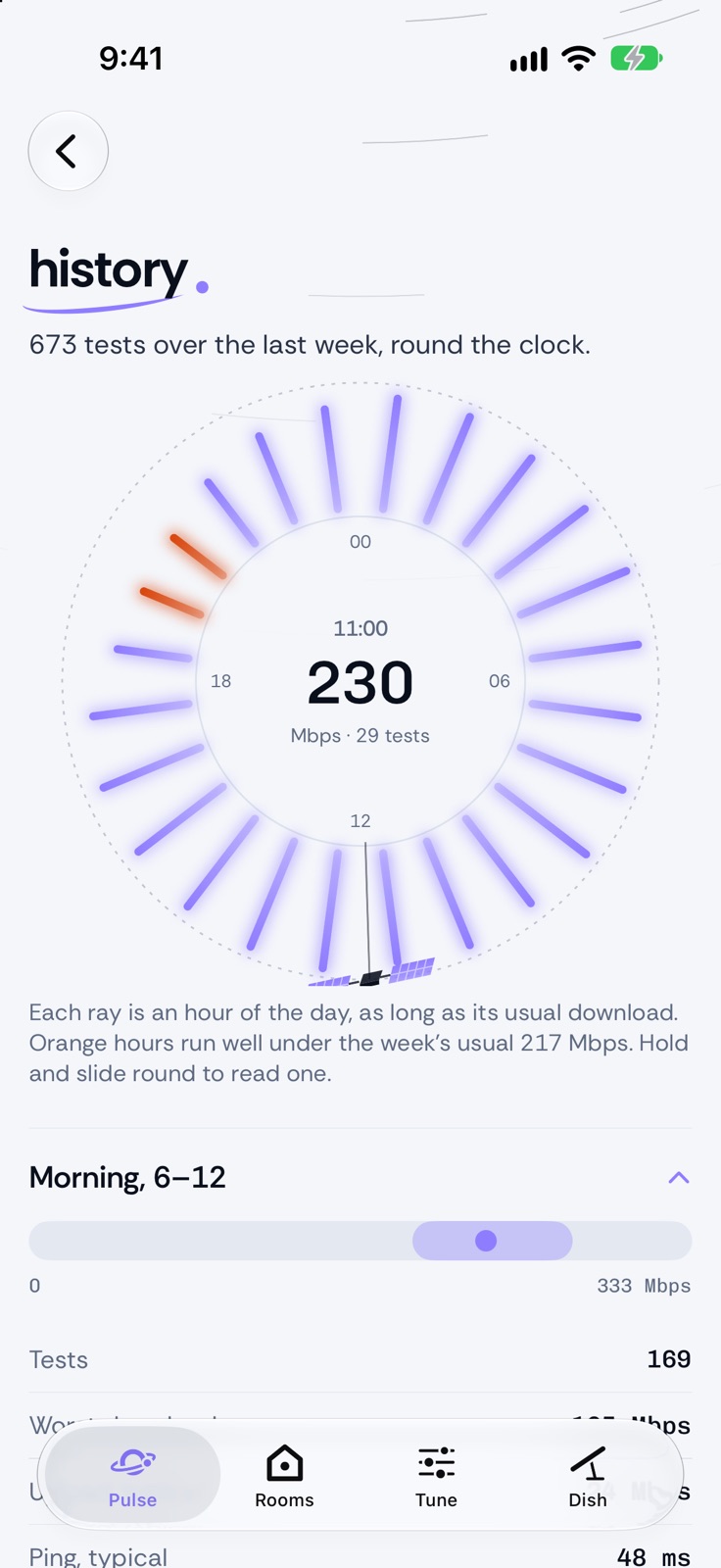 History: a week of tests as a 24-hour dial
How it works
- A logger on the MacTwo background jobs built from macOS's own tools and plain Python, nothing installed. One runs Apple's networkQuality test and the pings every 15 minutes. The other watches all the time for drops. Everything lands in one SQLite file.
- Read only, by designThe dish and router answer on the home network. A small hand-written client reads their status, history and sky map, and only read requests are allowed. orbit can't restart or change anything.
- A small API for the phoneThe Mac serves the log as JSON. The phone reaches it at home or from anywhere over a private VPN, and keeps the last answer so it opens straight away.
- Room tests from the phoneThe phone tests against Apple's servers, the same ones networkQuality uses, on four streams. The Mac then asks the router how strong the phone's signal is and which node it's on.
Design
Rethink Sans · Chivo MonoAa0:42
#0A0F1C#8F7DFF#5E6A80#F4F6FA
- One accent: violet, the same in light and dark. Orange only when something's wrong.
- Rethink Sans for the words, Chivo Mono for the numbers.
- No cards: rows under hairlines, and each page has its own pattern from space behind the title, like stars, orbits or a blueprint.
- The mark is an o with a violet orbit round it. Pull to refresh winds the satellite round, lap after lap, then lets it spring back.